PhotoSpin Pro User’s Manual 2: HUD
HUD Quick Start
- Locate the PhotoSpin Pro HUD in your inventory (included in the PhotoSpin Pro folder).
- Right-click and select wear.
- Left-click the Backdrop or Tools buttons at the top of the HUD to access controls.
The following two diagrams provide quick guides to the HUD controls for the Backdrop and Tools. For full instructions, see below.
Backdrop
Quick Start HUD Backdrop Face (pdf)
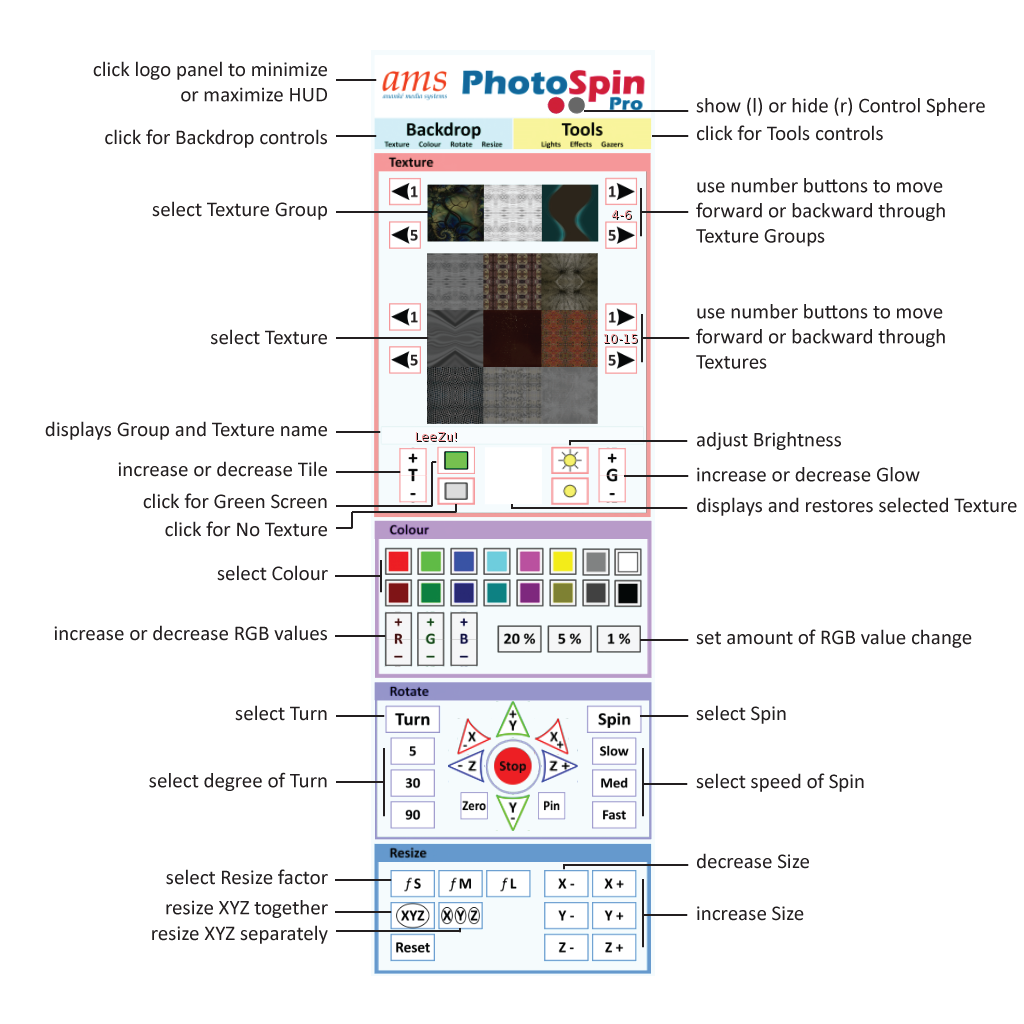
click image for larger view
Tools
Quick Start HUD Tools Face (pdf)

click image for larger view
Backdrop: Texture, Green Screen & Colour
 Ananké Media Systems
Trackback this post