Archive for February, 2008
PhotoStage 1.1 is out
PhotoStage 1.1 is available now!
We are so excited about this new version. The major new features are:
-
A HUD makes using the PhotoStage much more enjoyable. You will be able to avoid menus except for a few uncommon commands.
-
Gaze points let your model fix her gaze on an object by “alt-clicking”. You can then move that object to adjust your model’s gaze direction.
-
A “Channel” setting lets you operate up to 9 different PhotoStages from a single Control Box or HUD. This is especially useful if you want to set up multiple PhotoStages side by side.
-
The number of backdrop textures has been increased to 36 (it was 24 before).
-
13 modelling poses are included with the new PhotoStand.
-
Permissions have been changed from mod, no-copy, transfer into mod, copy, no-transfer.
You can find PhotoStage 1.1 at our usual retail points, including OnRez and SLExchange as well as the AMS Demo Site in Lady Vale.
Remember that you will receive this update automatically and free of charge if you are a current owner of PhotoStage. Just reset it and wait a few seconds.
No-transfer textures failing to show on the PhotoStage backdrop
We have detected that no-transfer textures fail to show on the PhotoStage backdrop. You can add a no-transfer texture to the backdrop, but when you try to use it by navigating to it using the Previous/Next buttons, the backdrop turns white (or whatever other colour you had it set to) and a script error is shown.
We have traced the cause back to the SVC-368 issue documented in JIRA. It seems that the llSetLinkTexture() function does not work well with no-transfer textures.
The obvious solution is to use transferrable textures with the PhotoStage. We are updating the User’s Manual to reflect this.
In addition, we will study the feasibility of modifying the PhotoStage backdrops so that they work around the bug. This is not a trivial change to make, and it may take some time. We will announce any progress here. In the meantime, please stick to textures with transfer permissions.
We hope that you understand that this is not an issue with PhotoStage, but a documented error of Second Life.
Oh, and thanks to Corbin Carling for raising this issue with us.
Photo studio comparison
Dendre Writez writes a very informative review of SL photo studios on the Runway Kidz blog.
I especially like the comparison table at the end of the post. Who wants a market research department with posts like this? :p
After the 1st February blues
Now that the SL glitch that broke the PhotoStage’s scripts has been solved, we can spend some time explaining exactly what happened.
Linden Lab announced an update of the server code on 31st January. This was applied as a rolling restart, which caused no apparent problems other than the sims going offline for a few minutes as it is usual. However, the server update changed something that was not documented, announced or advertised. Before the update, the Description field of any prim could contain many characters, including (why not, one could ask) the character called a pipe “|”. This character is often used by scripters and programmers as a delimiter, i.e. used to separate blocks of text or values from each other. The Description field of prims is also used frequently as a common place where data can be shared by multiple scripts running in a single prim. Finally, I must point out something that is pretty evident, but apparently needs pointing out (you will see why in a minute): when you put some text into the Description field of a prim, you expect it to stay there, unchanged, until you (or somebody else) changes it. This is just common sense.
After the update, things changed. You can still put a pipe character into the Description field of any prim, but that character is automatically and silently converted to a question mark “?”. Imagine that your script puts the text “hello|there” in the Description of a prim; next time you look at it, it will show “hello?there”. As you can imagine, having characters changed by SL under the hood, silently, and without your permission, is not a good thing. Your script relies on finding some text there and, instead, it finds something else. As a consequence, what used to work before doesn’t work now.
I am going into rant mode now.
Carine photoshoot
The other day Carine came by and asked me to take a few photos of her. These are some samples.
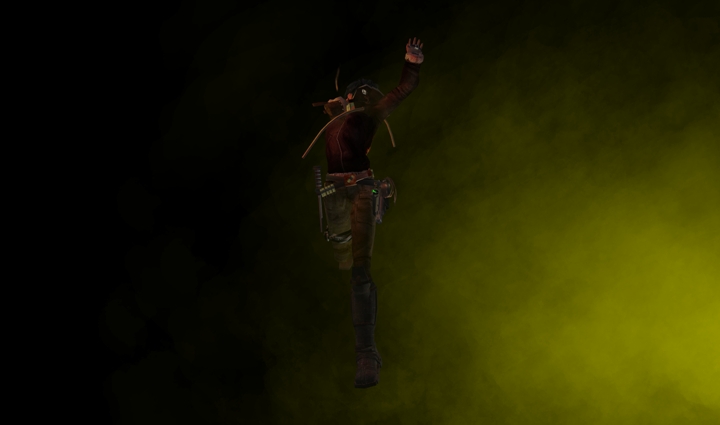


For the first two I set the PhotoStage backdrop to black, placed a warming light to her right and a white filling light to her left and above. Then I set up an effects generator to coloured fog. For the third picture I used a wood texture for the backdrop and a third soft light placed near Carine’s feet to avoid deep shadows under her chin.
I shot at 2880 x 1700 (twice my screen resolution). The photos here are resized to 25% of their original size, and compressed as JPGs.
Thanks, Carine, for letting me show these pics here!
PhotoStage update available now
PhotoStage 1.0.6 is now available. This is an “emergency” update that works around the problems introduced by yesterday’s rolling restart. No functionality changes have been made.
Current owners of PhotoStage can get the update automatically by clicking the Reset button on the PhotoStage main menu. The new version will be dispatched to you after a few seconds.
The new version is also available from all our retail points, both web and inworld.
Important: please don’t forget to transfer any backdrop textures and saved configurations to the new version of PhotoStage before you delete the old one.
SL glitch affecting PhotoStage
It seems that the fixes that Linden Lab applied to SL servers during yesterday’s rolling restart have introduced a number of problems. The official Linden Blog reports so (http://blog.secondlife.com/2008/02/01/fix-may-cause-problems-for-scripts-relying-on-long-object-names-and-descriptions/).
A few minutes ago we detected that these problems can affect the correct functioning of PhotoStage, and immediately contacted Linden Lab via customer support requesting more information and, ideally, a fix. We are also investigating a workaround to make PhotoStage function correctly even if Linden Lab don’t fix these problems. We will make a PhotoStage update available as soon as we can. We will send a new group notice once it’s ready with specific instructions on how to obtain it.
In the meantime, we apologise for the inconvenience, and we hope that you understand that this is a problem introduced by Linden Lab and there is not much that we can do to avoid it.
 Ananké Media Systems